Employee Security Awareness Training on a Small Business Budget
Most breaches start with a person, not malware—and training costs less than one ransomware payment.
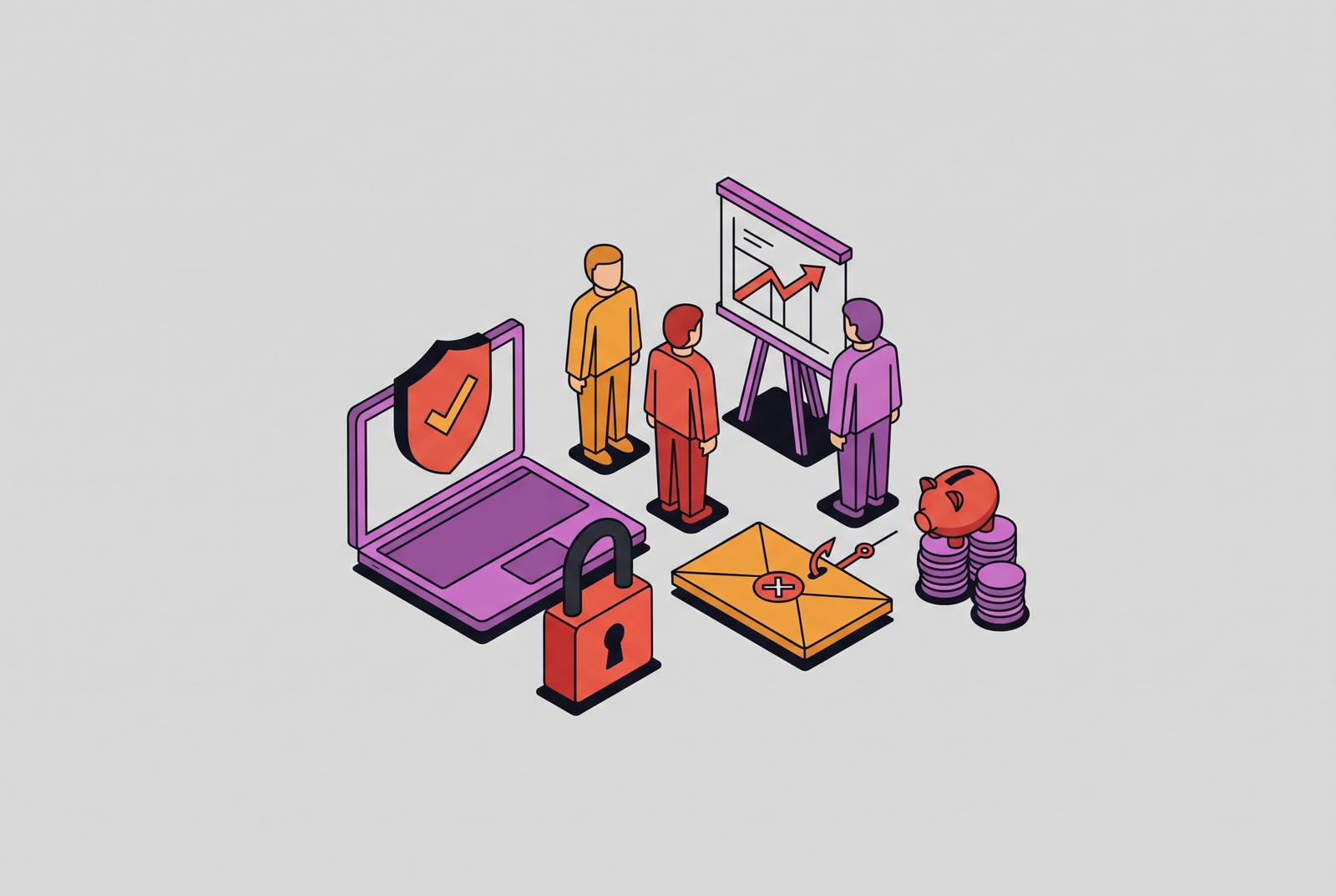
Small businesses get hit with phishing and ransomware more often than large companies, and the reason isn't bad luck. It comes down to math: attackers run these operations at scale, and a business with weak defenses and real money in the bank is simply a better return on effort than a hardened enterprise with a security team watching every login.
Why Small Businesses Are a Preferred Target
Most confirmed breaches start with a person, not a piece of malware that outsmarted a firewall. The 2026 Verizon Data Breach Investigations Report found that a large majority of confirmed breaches involve a human element: a phishing click, a stolen password, or a setting left open by mistake. That single fact explains why training matters as much as any firewall or antivirus license.
Ransomware-as-a-Service has turned attacks into a volume business. Criminal groups rent out their tools to anyone willing to split the payout, making it cheap to go after small targets in bulk. Micro-businesses face a much higher breach success rate on attempted attacks than mid-sized organizations, largely because the defenses on the other end are thinner. Add to that a simple, uncomfortable fact: a significant share of small businesses put zero dollars into cybersecurity because nobody has shown them where to start.
What a breach costs a small business compared to what training costs
The money math here isn't close. The IBM Cost of a Data Breach Report 2023 found that average breach costs for smaller organizations reached a figure many small businesses could not absorb and keep operating. A significant share of SMBs say even a moderately sized attack would shut them down for good, and ransom demands alone often run in the tens of thousands to hundreds of thousands of dollars at the median, depending on which dataset you look at.
Insurance has started treating this as table stakes. Cyber insurance applications now ask directly whether a business runs security awareness training and phishing simulations, and the answers affect what a policy costs and whether a claim gets paid out. A false answer on that form can void coverage right when a business needs it most.
Set that against the cost of training. Self-paced online platforms run $20 to $50 per employee per year, which puts a full year of training for a ten-person team in the range of what a team might spend on a single lunch out. Training isn't the first dollar a small business should spend. MFA, endpoint detection, and verified backups all come first in a sane spending order. But once those basics are covered, training is one of the cheapest, highest-return items left on the list, and the gap between what a breach costs and what training costs makes the decision close to automatic once the basics are handled.
Where training fits in the SMB security priority order
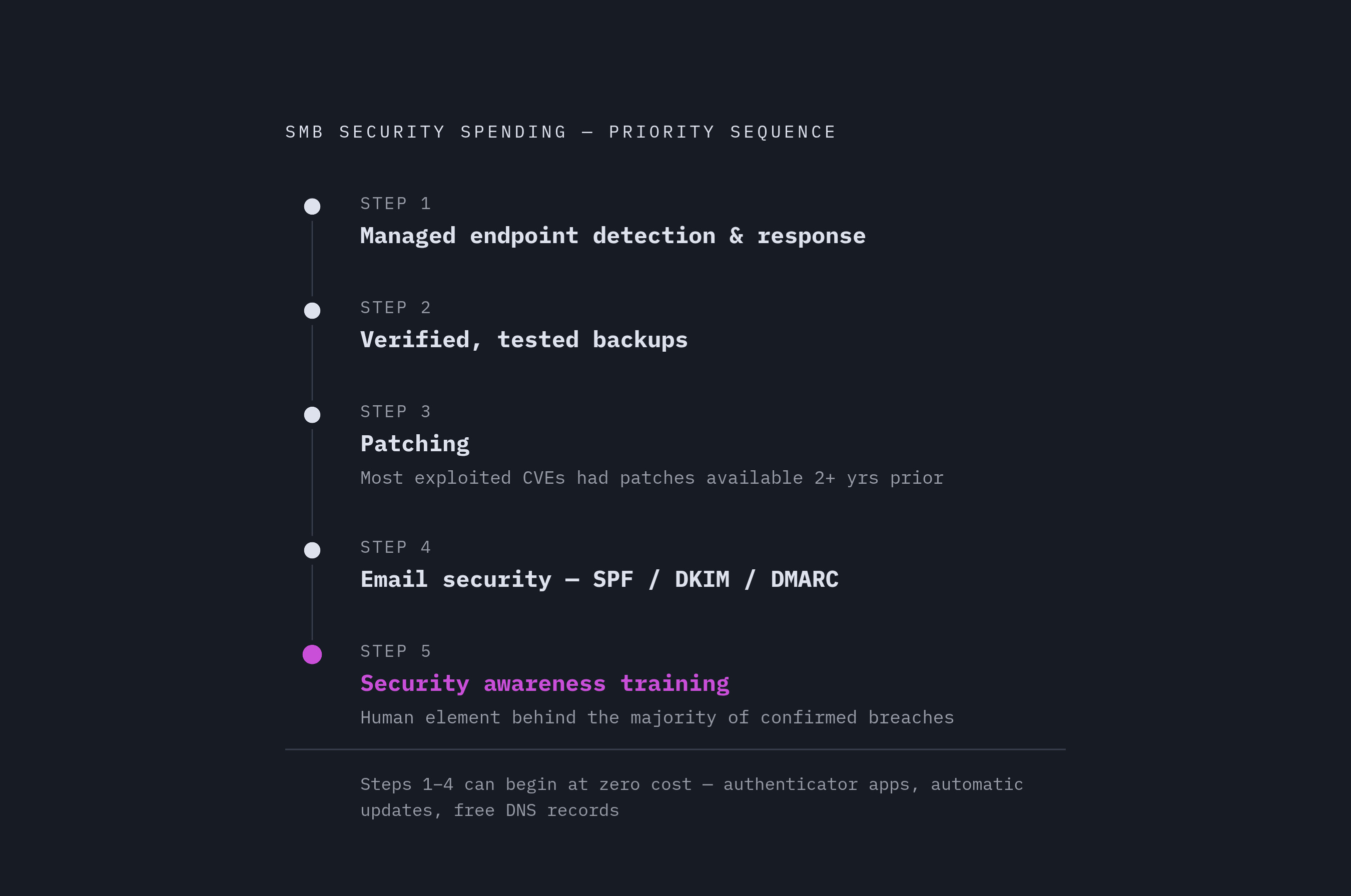
Training works best once it sits on top of a real technical foundation, not ahead of one. Buying a training platform before setting up multi-factor authentication is backwards, and a good security guide will say so without hedging.
A sensible order for SMB security spending looks like this: managed endpoint detection and response first, for businesses that can afford to go beyond whatever protection came built into their operating system. Verified backups come next: not a backup job that runs quietly in the background and never gets tested, but one someone has actually tried to restore from. After that comes patching, and here the data is blunt. CISA's Known Exploited Vulnerabilities Catalog shows that the vast majority of vulnerabilities attackers actually use had a patch available for more than two years before anyone exploited them. Most breaches through old software bugs are breaches that patching alone would have stopped. After patching comes email security with phishing protection built in, and only then does security awareness training enter the picture, right where it does the most good because it addresses the human element that remains the top way breaches start.
A team with no budget at all can still cover a lot of ground for free. Multi-factor authentication through a free authenticator app, automatic operating system updates, browser-based phishing protection, a passphrase policy, and SPF, DKIM, and DMARC email authentication records cost nothing and close off some of the easiest paths attackers use. Once those are in place, training is the next logical step, keeping employees from undoing what the technical stack is already catching.
What a minimum viable training program requires
A workable security awareness program for a small business rests on four pieces, and none of them demand a dedicated security hire or a six-figure budget.
The first is annual baseline training for everyone on staff, covering phishing recognition, basic password hygiene, and how to report something that looks wrong. The second is regular phishing simulations, run often enough that recognizing a fake email becomes a habit. The third is a documented breach reporting procedure: employees need a clear answer to "who do I tell and what do I do" the moment something looks off, and that document doubles as a compliance record when an insurer or auditor asks for proof. The fourth is immediate, specific coaching the moment someone clicks a simulated phishing link. That coaching moment, delivered right when the mistake happens, is what actually changes behavior over time.
All four pieces together fit inside a modest annual budget for a small team, and for the smallest teams, it costs even less. The compliance angle matters here beyond good intentions: a documented program gives a founder or CFO something concrete to point to when an insurer, a customer, or an auditor asks how the business handles its people risk.
Free and open-source options for teams at zero training budget
A business with no training budget at all can still put together something real, using tools that cost nothing. The tradeoff is time: someone has to run the program by hand, since nothing is automated.
Wizer's free tier includes one-minute training videos, short animated dramatizations of real scam stories, and it's a genuinely useful way to go from nothing to something fast. Its paid tiers add phishing simulations and gamification for teams that outgrow the basics. CISA offers free security awareness materials, vulnerability scanning tools, and incident response guides, and because it's a government source, it satisfies basic documentation requirements without extra cost. The NIST Cybersecurity Framework Self-Assessment Tool helps a founder figure out where the actual gaps are without paying a consultant to tell them.
The honest limitation runs through all of these: free tools need someone to run them. If that someone is also the person running the business day to day, the program tends to quietly lapse within a few months once things get busy. That's the exact gap paid automation is built to close.
Paid training platforms worth considering for small businesses in 2026
The right paid platform comes down to one question: does anyone on the team have time to run a security program, or does the platform need to run itself?
Hook Security stands out as the best overall option for small businesses heading into 2026. Its automation feature sends training, runs phishing simulations, and generates reports automatically, with no monthly babysitting and no need for a dedicated admin. Its training methodology leans on humor and storytelling, sitcom-style micro-learning, and treats a simulation click as a coaching moment. Pricing runs per seat per month, with a flat annual rate available for businesses under a certain seat count.
Wizer's paid tiers are a natural next step for a business that started on its free plan and outgrew it. The paid version adds phishing simulations and gamification on top of the free videos, and upgrading doesn't mean starting over with a new vendor.
CanIPhish fits a technical owner who wants to build and control the program directly. Its pricing is transparent, and its simulation tooling is strong, but it's a do-it-yourself product by design. That makes it a good match for a founder who wants hands-on control and a poor match for a busy ops leader who needs the platform to run without supervision.
NINJIO is the strongest pure storytelling option, producing Hollywood-style animated episodes based on real breaches and releasing a new one every month. The content holds attention well, but a business may need separate simulation tooling alongside it to cover the full program.
KnowBe4 carries the largest content library and the deepest toolset in the category, with published per-seat pricing and custom quotes for larger deployments. It's built for a team with a dedicated security admin who will actively manage it and negotiate renewals as the account grows. For a 20-person company without that dedicated admin, most of that depth goes unused, and the administrative overhead becomes a cost.
Options when your IT provider already manages your devices
A business that already pays an IT provider to manage its computers has a shortcut available: ask that provider whether they offer security awareness training. It's often the fastest way to get a program running, and frequently cheaper than buying a separate platform directly.
The practical questions are simple. Does the provider offer training? Are phishing simulations included, or billed separately? Can completion reports be exported for compliance documentation when an insurer or auditor asks? The honest limitation is that many IT providers aren't security specialists, so their training offering can be a bolt-on. Check that phishing simulations draw from current attack templates that get updated regularly, not a static library that hasn't changed in years.
If the provider doesn't offer training at all, that's a useful data point in itself: it means the human element of breach risk is going unaddressed, and that gap needs to be filled some other way. A business without any IT provider arrangement is often better off starting with a modern platform that handles device management, endpoint protection, and compliance in one place, rather than piecing together separate tools and a separate training vendor on top.
How an integrated security platform changes the training equation for lean teams
Training teaches people what to do. It doesn't make sure they actually do it, and for a lean team with no dedicated security admin, that gap between knowing and doing is where a lot of risk quietly lives.
Buying training as a standalone product has a structural problem: it teaches employees to use strong passwords and turn on multi-factor authentication, but without a platform enforcing those policies at the device and identity level, following through is voluntary and impossible to verify. An integrated platform closes that gap by enforcing MFA at login, monitoring whether devices stay compliant, and documenting the whole posture in one place, so a founder or ops leader can see at a glance that training is happening and that the policies it teaches are actually being followed, without stitching together reports from three or four different tools.
Speed matters too. A platform that takes months to configure, and needs professional services just to get off the ground, tends to sit half-finished indefinitely. For a small business, a platform running in weeks instead of months means the risk reduction actually happens on a timeline that matters. There's also a documentation payoff: a single platform capturing training completion, device posture, and policy enforcement together produces the kind of audit trail that cyber insurance applications and frameworks like SOC 2 and ISO 27001 ask for, without someone manually assembling reports from five different vendor dashboards. For a team running lean, that consolidation is what keeps the whole program from falling apart the first time things get busy.
Building the program: a practical starting checklist for a 10-to-50 person company
A small business can have a real, compliance-ready training program running within a week, and the cost is far lower than most founders expect going in. The first week should go toward the free actions that cost nothing but time: turning on multi-factor authentication for email, banking, accounting software, and remote access using a free authenticator app, switching on automatic operating system and software updates across every business device, setting up SPF, DKIM, and DMARC email authentication records, and turning on spam filtering and external-sender warnings inside Microsoft 365 or Google Workspace. A written passphrase policy, even a short one, should go down on paper that same week. Any business with an IT provider already in place should use that same week to ask directly whether managed training is available and whether phishing simulations and completion reporting come with it.
From there, the program needs upkeep to stay alive. Monthly phishing simulations paired with immediate, specific coaching for anyone who clicks keep the lesson fresh without turning into punishment. A quarterly check on training completion records, exported and filed, builds the compliance trail an insurer or auditor will eventually ask for. An annual refresh of baseline training for the whole staff, with new hires covered at onboarding, keeps the program from going stale. A one-page written breach reporting procedure means nobody has to guess who to call when something looks wrong.
The most common way these programs fail is by buying a platform and letting it sit unmanaged once the initial setup excitement wears off. The fix is to either pick a fully managed platform that runs on its own, or name one person, even if that's the founder, as the program owner with a standing quarterly reminder to check the reports. A simple program that actually runs every month does more to cut breach risk than an elaborate one that nobody keeps up with.