Multi-Factor Authentication Rollout for Non-Technical Teams
Plan the sequence before enabling MFA or risk breaking workflows.
An attacker got into an organization by hitting an employee with repeated multi-factor push notifications until the employee approved one out of sheer fatigue. The authentication worked exactly as designed. The person on the other end didn't. That's the pattern behind most failed MFA rollouts at small businesses too: not a technology gap, but a planning gap.
MFA gets turned on for the accounts that are easy to think about, directors, IT admins, and the obvious names on the org chart. Service accounts and shared logins get skipped because nobody wants to deal with them yet. Nobody decides in advance what happens when a staff member loses their phone on a Friday evening, so that decision gets made under pressure, badly, and then it becomes the permanent process. None of that is a technical failure. It's a sequencing failure, a communication failure, and in some cases a method-selection failure, and every one of those is fixable before a single setting gets touched.
The stakes are higher than most owners assume. A single compromised Microsoft 365 account exposes email, Teams, SharePoint, OneDrive, and whatever business systems connect to it, and in a small business one login often carries visibility that stretches well past what the owner thinks it does. That's part of why this can't sit on next quarter's task list anymore. The Microsoft mandate makes this urgent and non-deferrable: the absolute final deadline for Microsoft Azure and related services was July 2026, with no further postponements, the option to delay is gone. This requirement reflects Microsoft finally requiring what should have been standard account hygiene years ago. In the UK, Cyber Essentials adds its own pressure starting in April 2026, treating MFA on cloud services as a pass-or-fail item for certification. The question for most organizations has already moved past whether to do this. It's how to do it without breaking the workflows people rely on every day.
What a compromised account costs a small business
Small businesses are often the primary target of a bigger attacker's campaign. They're often the primary target, because they hold real data and typically lack the layered defenses of larger enterprises. Businesses with fewer than 100 staff face dramatically more social engineering attempts per employee than bigger companies do. Fewer people means fewer eyes catching a bad email before it lands, and it means each employee's account carries more relative weight.
The financial consequence of getting this wrong is not abstract. Ransomware recovery costs for small businesses run into the hundreds of thousands of dollars before anyone even calculates a ransom payment, and most SMBs that experience a ransomware attack say they couldn't keep operating afterward. The business itself, not a fine or a compliance ding, is what's at risk.
The mechanism explains why one compromised account causes so much damage. Attackers don't stop at the first inbox they get into. They search for invoice threads to redirect payments, payroll approvals to hijack, client contacts to exploit, and admin roles that let them move further into the network before anyone notices anything is wrong. A mailbox is rarely the destination. It's the entry point.
Vulnerability exploitation has now overtaken weak or missing credentials as the leading way attackers get into cloud environments. MFA is the single control that closes that specific gap faster than almost anything else an organization can deploy. Getting it in place correctly is why the rollout sequence matters so much: the most common entry path simply stops working for the attacker.
MFA doesn't stop all the attacks non-technical teams face
Saying "MFA is enabled" doesn't mean what it used to mean. SMS codes, push notifications, and app-based TOTP codes remain vulnerable to the exact attacks currently targeting small businesses, while FIDO2 hardware keys and passkeys are not. Two organizations can both report "MFA deployed" and have wildly different actual exposure.
The attack responsible for this gap is called Adversary-in-the-Middle, or AiTM. Picture a fake login page sitting quietly between the real user and the real website, like a person intercepting mail at a shared mailbox and reading everything before resealing the envelope. The user types their password into what looks like the normal login screen. The proxy captures it, passes it to the real site, and captures the MFA code too, all in real time, replaying it before the code expires. A phishing proxy sits between the user and the real login page, capturing credentials and MFA codes in real time and replaying them before they expire, and push notifications, TOTP codes, and SMS OTP are all transparent to the proxy.
In January 2026, Okta and Microsoft SSO accounts were compromised through a vishing and AiTM proxy campaign, showing this risk is already active rather than theoretical, with infrastructure traced to a domain called inclusivity-team[.]onrender.com. Tycoon 2FA, a phishing-as-a-service framework built specifically to target Microsoft 365 and Google Workspace, was tied to a large volume of phishing domains in the first quarter of 2026 alone. That's commercial, packaged, rentable infrastructure already being used against small businesses right now, not a hypothetical future risk.
A separate bypass called device code phishing doesn't even need a stolen password or a stolen code. It abuses a legitimate sign-in flow built into Microsoft and Google platforms, and detections of it surged sharply through 2026.
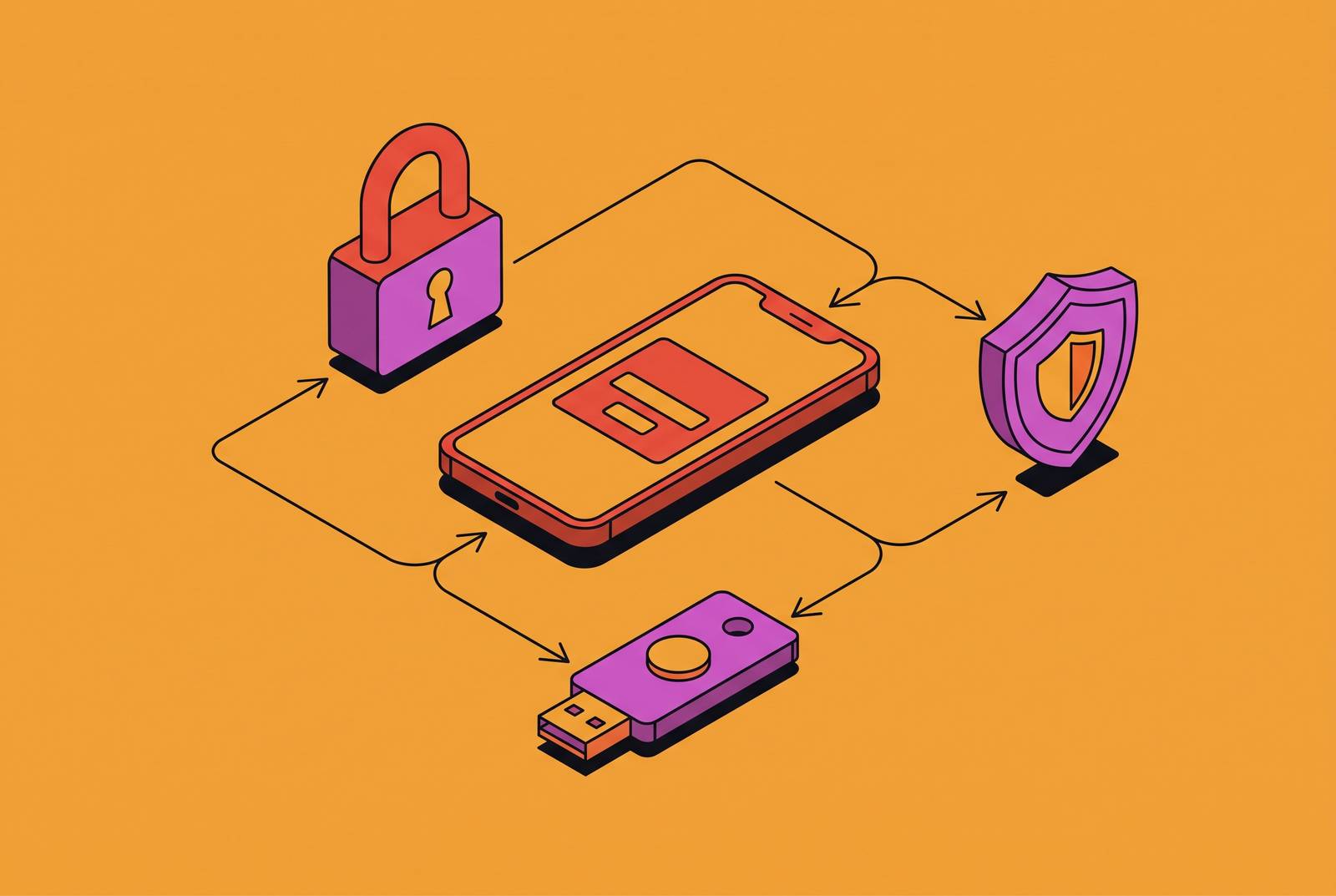
What actually stops these attacks is a method that checks the destination before it hands anything over. FIDO2 security keys, passkeys, and certificate-based authentication all rely on a cryptographic signature tied to the specific website the user is actually logging into. Think of it as a lock that only turns for one exact door, cut to match that door alone. A phishing proxy sitting at a fake domain can't complete that handshake no matter how convincing the fake page looks, so the attacker walks away with nothing usable. CISA names FIDO2/WebAuthn (passkeys and hardware keys) and PIV/CAC smart cards as qualifying phishing-resistant methods, and explicitly excludes SMS OTP, voice call, email-based magic links, and push notifications with simple approve/deny prompts.
SMS falls to a real-time phishing kit running an AiTM proxy, which sits between the user and the real login page, capturing credentials and MFA codes and replaying them before they expire. FIDO2 removes the risk at its source: the credential physically cannot bind to a fraudulent domain, so there's no moment where a tired or distracted employee accidentally approves the wrong login.
For accounts that aren't yet on hardware keys, adaptive MFA offers a workable middle step. It triggers step-up authentication when a login comes from an unrecognized device, an unusual location, or a pattern that looks like impossible travel, someone appearing to log in from two countries within an hour. Routine logins move fast, and the system only slows down the ones that actually look suspicious. That keeps MFA sustainable day to day instead of generating a constant stream of friction complaints, and it sets up the next question every rollout has to answer: which method goes with which account.
Matching MFA methods to the people and accounts that will use them
No single MFA method fits every account in an organization. The right choice comes down to three factors working together: how risky the account is, how comfortable the user is with new technology, and how much friction the workflow can absorb before people start looking for shortcuts around it. Forcing one method on everyone creates either unnecessary risk on sensitive accounts or unnecessary resistance on routine ones.
A practical way to think about this is in tiers, matched to what's actually at stake in each account:
- Finance, HR, and other high-data-access accounts: FIDO2 or passkeys as the eventual standard, with an authenticator app using number matching as a reasonable interim step while hardware keys get procured and distributed.
- Standard user accounts: an authenticator app with number matching enabled, not a simple approve/deny prompt, as the baseline, moving to passkeys on devices that support them where it's practical to do so.
- Low-risk, low-friction flows: SMS is acceptable only where the risk profile is genuinely low and no sensitive data sits behind the login, and this should be written down as a limited, temporary exception rather than treated as the default choice for anyone who finds hardware keys inconvenient.
SIM swapping is the main reason SMS OTP breaks down for sensitive accounts: an attacker social-engineers a mobile carrier into transferring a number to their SIM, and every verification code then goes to the attacker. That's a scalable attack built entirely around social engineering a call center, not a software exploit, and it means SMS's weakness has nothing to do with how careful the employee is.
Organizations standing up identity controls from nothing have an advantage: going passwordless from day one avoids ever accumulating the technical debt that has to be untangled later. Businesses running on older infrastructure need a phased path toward that same end state rather than a single hard cutover that risks locking people out. Either way, these decisions about which method belongs where can't stay informal. They need to be written into policy before rollout begins, which is the next step in getting this right.
Cleaning up accounts and documenting dependencies before enforcement starts
Before any MFA setting gets flipped, the identity directory needs an honest look. This step decides how hard the rest of the rollout will be. Once stale accounts are removed and every service dependency is written down, the MFA design gets simpler and the support desk stops fielding surprises after go-live.
The review should reflect how the business actually runs day to day, not how the directory happens to be organized on paper. A few categories need distinct handling. Named user accounts cover employees, contractors, and temporary staff with active sign-in rights. Privileged accounts include admin roles across Microsoft 365, Azure, Exchange, SharePoint, and any third-party platform tied to Microsoft sign-in. Dormant accounts, meaning leavers, test users, and old shared logins nobody has touched in months, should be disabled or removed before rollout starts rather than carried forward. Service and application-linked accounts tied to scanners, line-of-business software, backup tools, or older workflows can't complete an interactive MFA prompt at all and need their own separate handling. Guest users, the external collaborators sitting in Teams, SharePoint, or shared project spaces, round out the list.
This is exactly where fragmented tools create blind spots. When device management, identity, and compliance records live in separate systems that don't talk to each other, an old scanner or a shared login can hide in the gaps between them for months. A single, integrated view of devices, accounts, and access lets the dependencies appear in one place instead of three, making this audit far more tractable.
Legacy authentication protocols, POP, IMAP, and older Exchange ActiveSync clients among them, simply cannot support MFA. Run a report on legacy auth sign-ins before blocking those protocols. Turning off a protocol that an old scanner or an accounting tool still depends on creates real disruption, and a short log review beforehand catches that problem before it becomes an emergency ticket.
Break-glass accounts belong in this planning stage too, not stitched together after go-live. Two emergency admin credentials, excluded from Conditional Access policies and protected with long randomized passwords stored offline, keep the organization from locking itself out if the primary MFA method fails during an outage. Shared logins and informal access arrangements, where several staff members use one set of credentials, need resolving now as well. Left alone past go-live, they don't get fixed later. They become permanent exceptions that quietly undermine everything else the rollout was meant to accomplish.
None of this is meant to be discouraging. An audit that feels tedious up front is the reason the technical rollout later goes smoothly instead of generating a stream of locked-out users and confused help desk calls.
Writing the MFA policy before anyone touches a setting
Policy has to exist before enforcement starts, because the space between written policy and daily operations is exactly where small businesses get caught out. Without it, informal habits fill the gap, and the help desk ends up making judgment calls under time pressure that were never supposed to become permanent procedure.
A usable access control policy needs to spell out a few things clearly. It should name which user roles and systems require MFA, and at what strength tier each one sits. It should list the acceptable authentication factors for each account category defined earlier. It should describe the enforcement mechanism and a timeline for moving any current exceptions toward full compliance. It should say how exceptions get granted, who signs off on them, and how often they get reviewed, with quarterly working as a sensible default cadence.
Onboarding and offboarding are the two moments where policy most often falls apart in practice. New team members need to enroll in MFA before they receive any access at all, and departing staff need their tokens revoked promptly. Both of these need to run as fixed procedures, not judgment calls made in the moment.
Factor reset procedures deserve their own explicit rules too. Someone needs to define who verifies identity when an employee loses their authenticator device, who has authority to approve the reset, and how that verification gets documented. Leaving this unspecified means the support desk ends up verifying identity informally over a phone call, and the whole MFA requirement becomes a formality that a patient social engineer can talk their way around.
For businesses that sell into enterprise customers or face audits, this documentation carries weight beyond internal tidiness. SOC 2's CC6.2 and CC6.3 criteria are the standard auditors and enterprise buyers actually check. CC6.2 requires evidence that users are registered and authorized before they get access, and that credentials are removed once access is no longer warranted. CC6.3 requires that access gets granted, modified, or revoked based on defined roles and responsibilities. A written MFA policy is what generates the paper trail those two criteria demand.
Finally, name actual people against actual responsibilities: who approves access requests, who manages MFA devices day to day, and who owns the exception list. Leaving any of that ambiguous is how security decisions quietly get deferred indefinitely, month after month, until nobody remembers whose job it was in the first place. Policy sitting in a document without technical enforcement behind it isn't a control yet. It becomes one only once the rollout itself puts it into practice.
The rollout sequence that works: admins first, full organization last
Once accounts are clean and policy is written, the order of deployment affects how much disruption and resistance the rollout generates, more than which specific tool gets chosen to run it. The sequence that holds up in practice moves from admins to VPN to email to cloud apps and only then to the full organization. Compressing all of that into one single cutover is where most rollouts generate their worst resistance and their worst disruption.
Phase one covers admin and privileged accounts first. These are the highest-value targets in the organization, they carry no exceptions on method, and they're the smallest group, which makes them the fastest to move to phishing-resistant hardware keys without creating organization-wide disruption. Getting this group locked down first also gives IT staff, or whoever is running the project, a live test of the enrollment process, the reset procedure, and the break-glass plan on a small, technically capable audience before either gets applied to less technical staff.
VPN access comes next, because remote access points are a common target for credential-based attacks and tend to have a smaller, more predictable user base than the full email or cloud app rollout. Email follows, since a compromised mailbox is usually the pivot point attackers use to reach invoice threads, payroll approvals, and client contacts. Cloud apps, including SharePoint, OneDrive, and any third-party platform tied to Microsoft sign-in, come after that, once the enrollment process has already been tested on two smaller groups.
The full organization goes last, once every earlier phase has already surfaced the actual friction points, the confused help desk tickets, the legacy tool that needed separate handling, the shared login nobody had documented, and resolved them at a scale where fixing a mistake affects a handful of people rather than the entire company at once. A rollout that generates a wave of complaints and locked-out users on day one differs from one that staff barely notice, because most of the hard decisions were already made and tested before it reached them.
Sources
- 8 MFA Best Practices to Strengthen Security in 2026
- SOC 2 Rolling Out MFA: A Practical Guide with Steps & Examples (2026) | Konfirmity
- Multi Factor Authentication - Microsoft: An SMB's 2026 Guide
- MFA Implementation: Secure Your Business in 2026
- Fix MFA and Block Legacy Auth: Microsoft 365 Security for IT Teams