Zero-Touch Enrollment for SMB Device Fleets
Distributed teams need devices configured automatically, not shipped back to IT.
SMBs are buying more devices than headcount can keep up with. Zero-touch enrollment is the mechanism that closes that gap: a device ships straight from the vendor to a remote employee's desk, fully configured and policy-enforced, and nobody in IT ever touches it. For a five-person IT team supporting a workforce spread across three states, that's not a nice-to-have. It's the only way the math works, and any SMB still shipping laptops back to a central office for imaging is wasting hours it doesn't have.
Distributed teams killed the old model. Nobody ships a new hire's laptop to a central office for imaging anymore, not when the hire lives in one city and the office sits in another. When setup falls to whoever's free that day, following whatever steps they happen to remember, inconsistency gets baked into the fleet from day one. A missed encryption toggle or a skipped OS update on one laptop can sit there quietly for months. Nobody notices until that's the device that gets breached.
What zero-touch enrollment does (the mechanism behind the automation)
Zero-touch enrollment means a device goes from the vendor's warehouse to the end user's hands without ever passing through IT. No imaging station, no unboxing at a help desk, no tech physically installing an MDM agent before it goes in the mail.
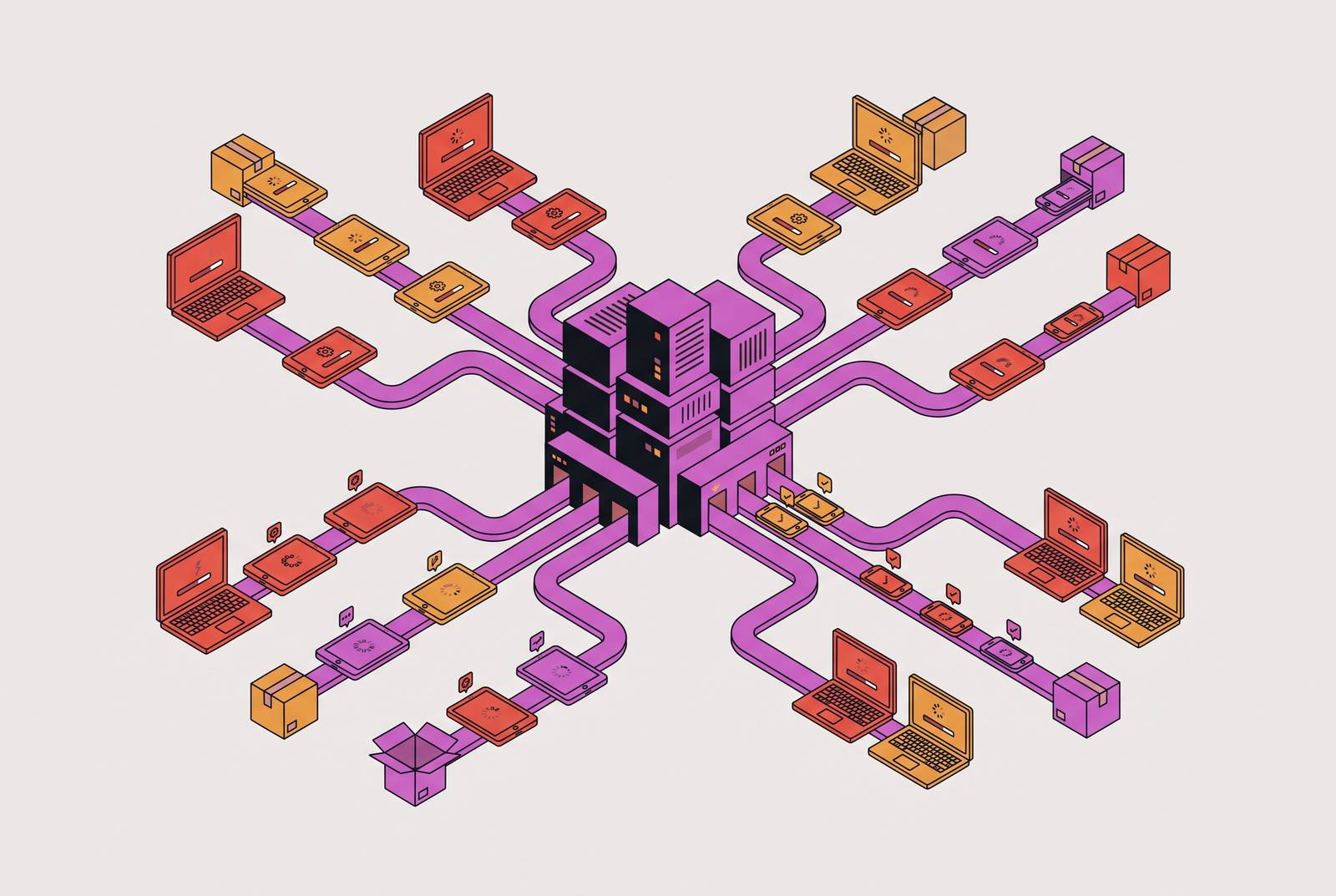
The sequence on first power-on runs the same way every time. The device boots, connects to the internet (usually through whatever Wi-Fi the new hire has at home), and reaches out to the manufacturer's enrollment servers asking who owns it and what it's supposed to do. The server points the device to its assigned MDM platform. From there, the device enrolls itself, pulls down the organization's security policies and configuration profiles, and hands the user a fully set-up machine. No IT ticket required.
Three pieces make this work, and they stay the same no matter which operating system is running:
- A device enrollment program run by the manufacturer (Apple, Google, Microsoft) that links hardware to an organization
- An MDM platform where policies, apps, and configurations actually live
- A configuration profile tied to the device before it ever ships
The real shift is where IT's work happens. Instead of configuring each device by hand after it lands on a desk, IT writes the policy once, upstream, and every device that enrolls inherits it automatically. That moves the job from labor to design, and a lean team is worth a lot more doing the second thing than unboxing laptops one at a time.
How Apple's Automated Device Enrollment works before SMBs buy hardware
Apple calls its version Automated Device Enrollment, or ADE. It used to go by DEP, and plenty of IT folks still call it that out of habit. ADE links devices to an MDM server through Apple Business Manager, Apple's admin portal for organizations.
On power-on, the device pings Apple's activation servers, which respond with the MDM service assigned to it. The device enrolls on its own and applies whatever configuration profiles the organization set up ahead of time. The Setup Assistant screens (the ones asking about a voice assistant, a mobile payment feature, other consumer preferences) get skipped entirely, so the user lands on a ready-to-work desktop in minutes.
Apple tightened this starting with macOS 14. If a device doesn't enroll during initial setup, it now throws up a full-screen prompt that forces enrollment, with no permanent way around it after setup. Enrollment stopped being a suggestion and became a requirement baked into the OS itself.
Automatic registration in Apple Business Manager only happens if the device was bought through Apple directly, or through a reseller enrolled in Apple's device enrollment program, and that trips up a lot of SMBs. A laptop grabbed off a shelf at Best Buy, or bought through some third-party marketplace listing, won't show up in ABM on its own. It can still get enrolled, but only by hand, which drags IT right back into the loop the whole system exists to avoid.
The fix lives in procurement, not IT. Set up an Apple Business account, or work with an authorized reseller, before anyone places an order. Get this wrong and no amount of MDM configuration on the back end will save the zero-touch flow. The order form is where this gets decided.
Android Zero-Touch Enrollment and Windows Autopilot in a mixed-OS fleet
Apple's approach isn't the only one that matters, and most SMB fleets aren't all-Apple anyway.
Google runs its own version, Android Zero-Touch Enrollment, for corporate-owned Android hardware. Devices bought through authorized resellers get registered to the organization's Google account and linked to the MDM before the box ships. On first boot, the device pulls down the MDM agent, applies management profiles, installs required apps, and locks in configuration, all without the user tapping through a setup wizard. That's especially useful for kiosk-style deployments: a tablet bolted to a wall running one delivery app and nothing else. Samsung runs a parallel track called Knox Mobile Enrollment, which matters for any fleet running Samsung Android hardware.
Microsoft's version is Windows Autopilot. Deployment profiles get assigned to devices ahead of time, and at first power-on, the device enrolls and configures itself against that profile. Autopilot's Enrollment Status Page can be set to block the user from reaching the desktop until required apps, security policies, certificates, and network connections all finish installing, so nobody starts working on a half-built machine. It ties into Azure AD (now Microsoft Entra ID) for identity-based policy assignment, and plugs cleanly into Microsoft 365, which makes it a natural pick for any SMB already living on that stack.
Most SMB fleets in 2026 run mixed OS: MacBooks for design and product, Windows machines for finance and ops, Android or iOS for anyone working in the field. Running Apple's tools for the Macs, Microsoft's tools for the PCs, and a separate console for Android leaves a five-person IT team babysitting three admin panels, three logins, and three sets of policy documentation. That's vendor sprawl, and for a lean team, it's a mistake, plain and simple.
MDM platform requirements for teams that can't manage three consoles
Feature lists are a trap here. What matters is which platform a generalist, someone wearing the IT hat alongside three other jobs, can run consistently without a specialist on staff. Cross-platform support in a single console cuts daily admin work down to one login for checking compliance status across the fleet, instead of three separate logins and three separate mental models.
A handful of platforms cover this ground in different ways, and they're not interchangeable. The ones built specifically for lean SMB teams beat the ones built for enterprise and scaled down.
Primo is an all-in-one IT platform built for SMBs, covering the device lifecycle from hardware ordering through decommissioning. It handles zero-touch deployment for Windows and mixed fleets, connects natively to HRIS systems, and is built so HR or an office manager, not a dedicated IT hire, can run it day to day. Centralized management across Windows, Mac, iOS, and Android, real-time inventory, and support sized for SMBs round it out.
Microsoft Intune is the native MDM for anyone standardized on Microsoft. It runs Windows Autopilot, integrates deeply with Entra ID and Microsoft 365, and supports Conditional Access along with solid compliance policy management. It's the right call if the company already lives in the Microsoft ecosystem, and a steeper climb if it doesn't.
VMware Workspace ONE is a broader UEM platform covering every major OS, with automated enrollment, lifecycle management, and enterprise-grade identity integration. It suits a growing SMB anticipating more complex compliance needs down the road, though it's heavier than what a team wanting something fast and light should reach for.
Hexnode offers multi-OS MDM with template-based configuration and kiosk mode, run through an admin console built for teams without deep IT expertise. Pricing fits SMB budgets, though it's not built for large enterprises with complicated integration needs.
Miradore supports Android Zero-Touch, Apple ADE, and Windows Autopilot from a single console, and is an official Google Zero-Touch Enrollment partner. It's built specifically for SMBs and MSPs that need cross-platform automation without enterprise pricing or enterprise complexity. Fast to deploy for standard use cases, less suited to advanced workflow needs.
Zip fits into this differently, because the pitch underneath it is different. An SMB without a dedicated security team can't treat device management as its own island. Enrollment, identity protection, endpoint security, and compliance enforcement need to run as one system from day one, not five vendor relationships stitched together after the fact. Zip is built around that reality: a lean team needs one complete program, not another console to configure and babysit.
The policy-level enforcement of zero-touch enrollment, and the baseline it sets
Enrollment is the exact moment an organization's security policy lands on a device, before the user opens a single app, before a single file gets saved. That timing is what turns zero-touch enrollment into a security mechanism instead of a convenience.
A solid baseline policy applied at enrollment turns on encryption by default (FileVault on Mac, BitLocker on Windows, the equivalent on Android) and enforces screen lock requirements before the device ever reaches a user's hands. Beyond that baseline, enrollment is also where certificates, VPN and Wi-Fi profiles, app allowlists and denylists, update schedules, and restrictions on USB or external storage all get pushed down.
Enrolled devices also get factory-reset protection, so a lost or stolen laptop can't just get wiped and resold as a clean machine. That single control matters most for field teams carrying hardware through airports and client sites.
None of this depends on the user doing anything right, and that's the whole point. A policy that depends on a new hire remembering to turn on encryption is a suggestion. It's a checklist somebody hoped would get followed.
Zero-touch enrollment's creation of auditable compliance evidence for SOC 2, HIPAA, and ISO 27001
Auditors ask a version of the same question no matter which framework they're running: can this organization prove every device is enrolled in MDM and subject to policy, and can it say exactly when that started?
Automatic enrollment answers that cleanly, because the MDM logs an enrollment timestamp the moment each device checks in. That's a hard record showing a device was configured from first boot, not scrambled into shape the week before an audit. Encryption status, OS version, and policy compliance get reported continuously from there, not pieced together from memory or a spreadsheet someone updates twice a year. Patch cadence gets tracked the same way, so an auditor can see exactly which devices are current and which have fallen behind.
SOC 2, HIPAA, ISO 27001, NIST SP 800-171, and FedRAMP all ask versions of this same question. These frameworks require organizations to demonstrate device enrollment, encryption status, and patch cadence with dated records, not summaries assembled after the fact.
Manual enrollment can't produce that record with any confidence. When enrollment depends on a user remembering to run a setup step, or an IT person getting around to it during a busy week, the audit trail ends up full of holes: devices skipped, devices enrolled late, devices that slipped through during exactly the stretch an auditor wants to examine. Zero-touch enrollment doesn't leave that kind of gap. There's no step left for a person to forget.
Sources
- Fleet | Mac Zero-Touch Deployment: Complete Enterprise Guide 2026
- Top 7 Best Windows Device Management Solutions for SMBs (2026)
- Zero Touch Deployment: A Complete IT Guide | Miradore
- Apple Zero-Touch Deployment for SMB IT Teams
- Zero-touch Provisioning for Windows & Mac
- MDM - How to enroll Apple Devices with Zero Touch Deployment? | Fleet Blog
- MDM - How to enroll Windows Devices with Zero Touch Deployment with Entra ID? | Fleet Blog
- fleet.co